While the images may look slightly different between devices, this process will be the same on an iPad/tablet, Mac, PC or Chromebook. We recommend using the Chrome browser on a computer.
Option #1 - Logging in with a browser:
Step 1) Navigate to the GSB Accelerated Reader login page: CLICK HERE
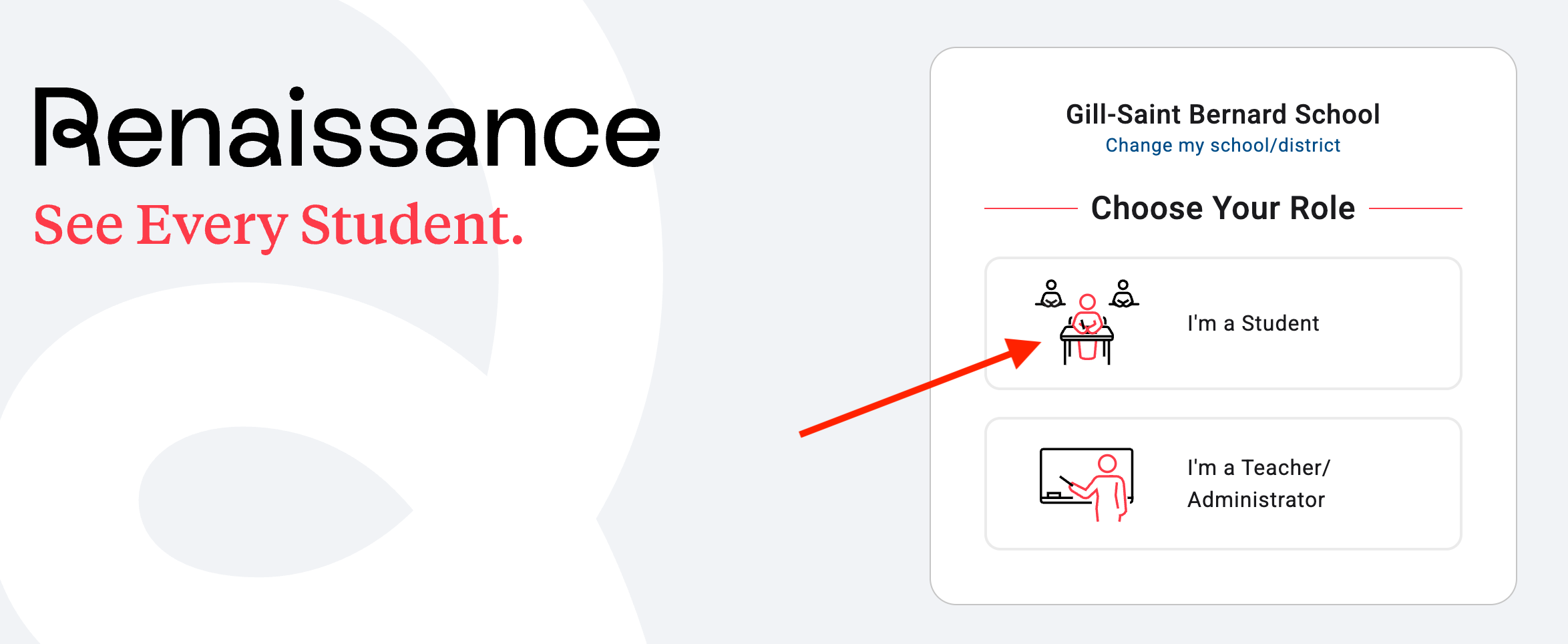
Step 2) Once on the login page select I'm a Student from the login options.
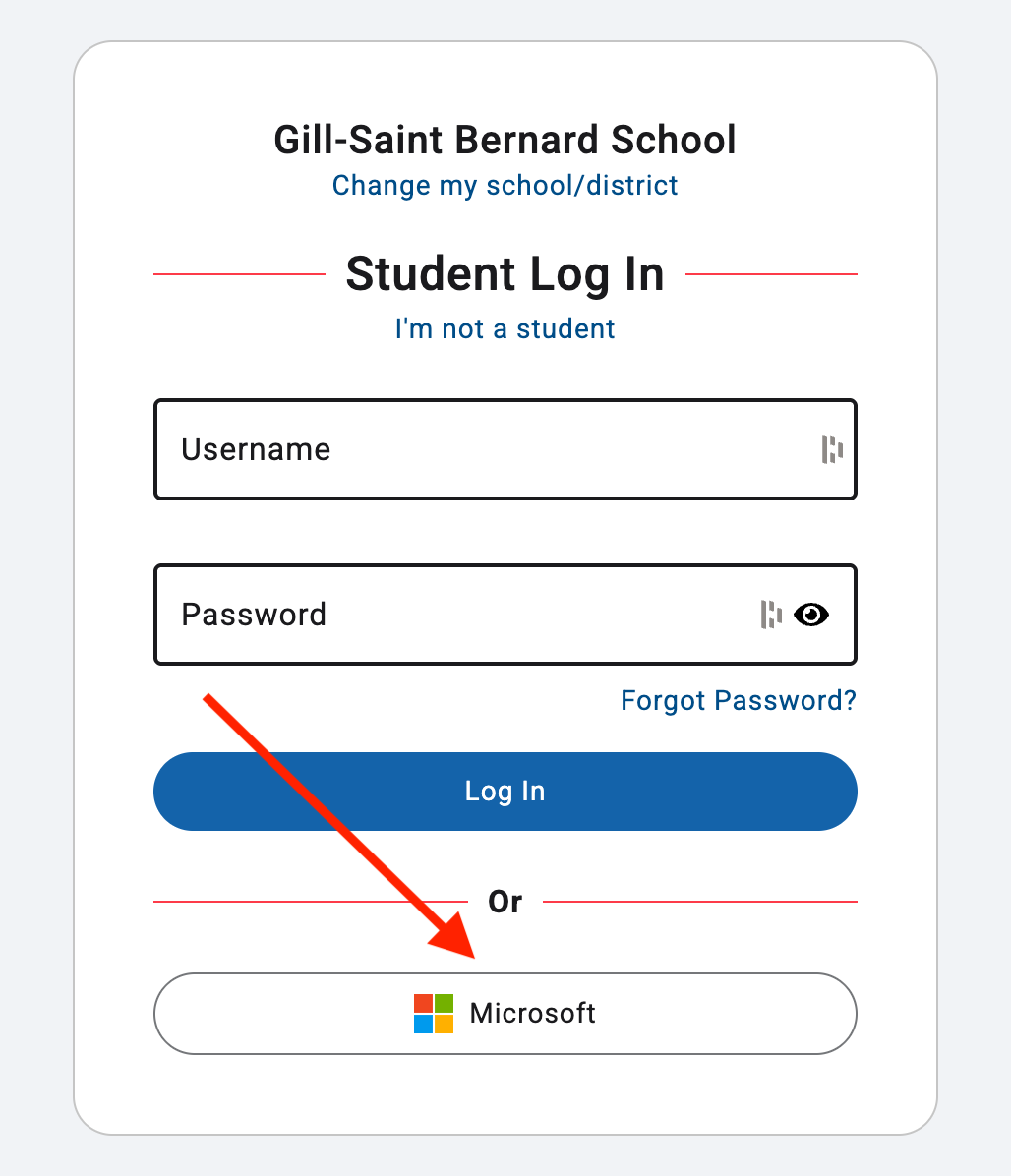
Step 3) Select the Microsoft login button at the bottom of the page and login using your GSB email and password when prompted. If you are already signed into your email, you won't need to use your password and will be taken directly into Accelerated Reader.
 If you continue to have issues logging in, contact the Gill St. Bernard’s School Help Desk by email at help@gsbschool.org or via phone 908.234.1611 ext. 475
Was this article helpful?
That’s Great!
Thank you for your feedback
Sorry! We couldn't be helpful
Thank you for your feedback
Feedback sent
We appreciate your effort and will try to fix the article